
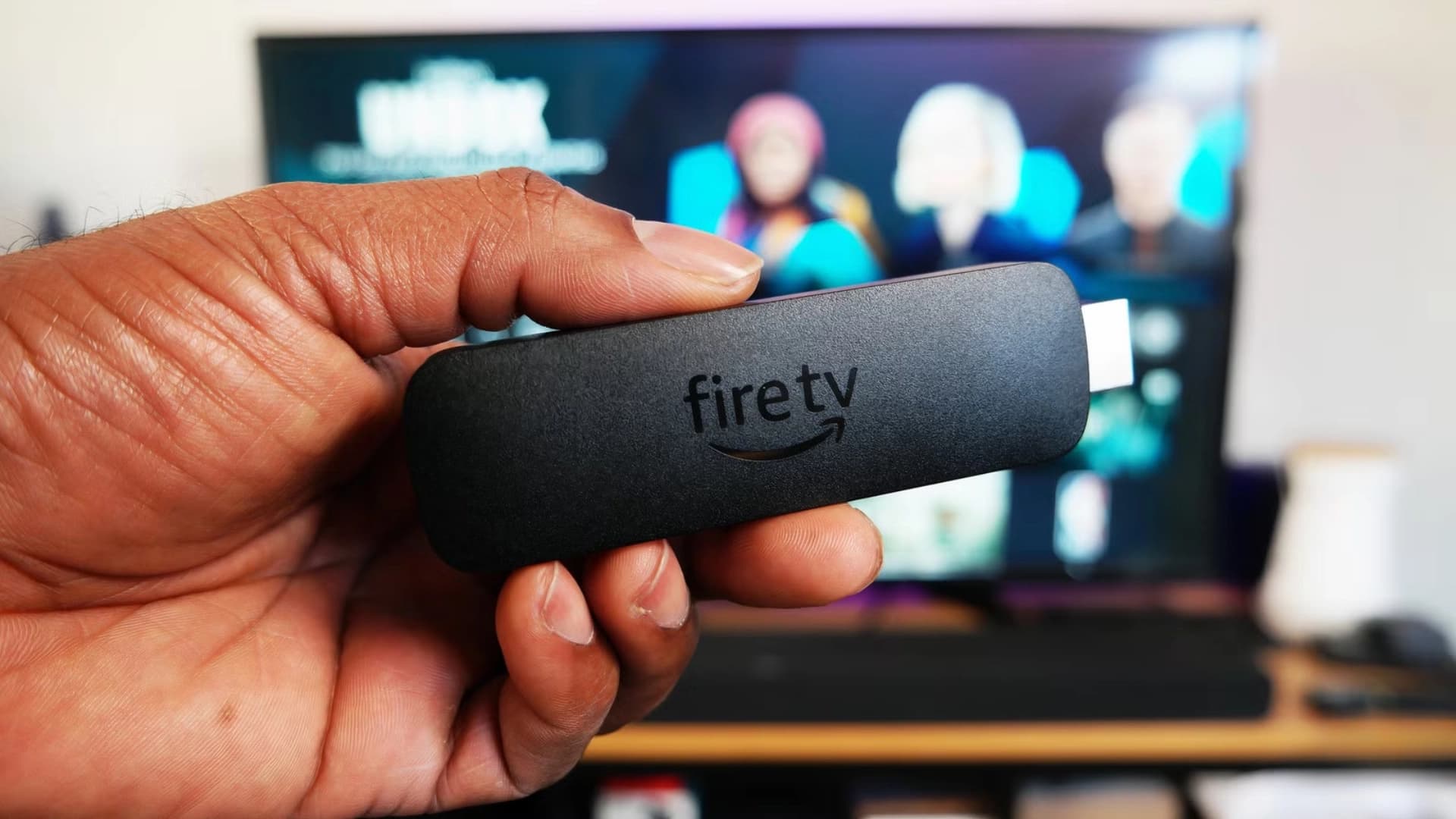
There's a moment every Canadian cord-cutter knows well. You've just cancelled your cable package, plugged a Firestick into your TV, and you're staring at the home screen wondering: so how do I actually get this thing streaming everything?
If that sounds like you, welcome. You're about to learn exactly how to install IPTV on Firestick in Canada, step by step, in a way that works the first time. No guessing, no forum rabbit holes, no forty minute YouTube tutorials with a shaky camera. Just a clean setup that gets you from unboxing to watching Sportsnet, TSN, and thousands of channels in around ten minutes.
And if you're the kind of person who likes to see the whole picture first, every device, every player, every option, our complete IPTV Canada setup guide has you covered. But for Firestick specifically, you're in the right place.
Why Firestick Is the Go-To IPTV Device for Canadians
Walk into any Canadian living room with a cord-cutter and there's a good chance you'll spot a Firestick tucked behind the TV. That's not an accident. Amazon has quietly built the perfect IPTV hardware for households that want flexibility without spending hundreds of dollars on a streaming box.
A Firestick 4K Max costs less than a single month of most cable packages. It draws almost no power, boots in seconds, and streams 4K HDR at a smooth 60 frames per second. For Canadian viewers, there's one more thing that matters. It plugs into literally any TV with an HDMI port, whether that's a brand new Samsung QLED in the living room or a ten year old 1080p screen in the guest bedroom.
That last part is worth sitting with for a second. The Firestick turns any TV in your house into a proper IPTV Canada endpoint. No new hardware, no new contract, no technician visit. You plug it in, set it up, and start streaming.
What You'll Need Before We Start
Before diving into the steps, take sixty seconds to gather everything below. If you have all of these ready, the whole installation takes under ten minutes. If you're missing one or two, no problem. I'll flag exactly where each one comes into play.
- An IPTV Canada subscription. You'll get your Xtream Codes credentials by WhatsApp and email the moment your payment clears.
- A Firestick. Lite, 4K, and 4K Max all work. If you're buying new, grab the 4K Max for future-proofing.
- A solid internet connection. 15 Mbps minimum for HD, 25 to 30 Mbps for smooth 4K.
- Your Fire TV remote. You'll need it for navigating menus and typing.
- Your login credentials. Portal URL, username, and password.
One thing worth knowing before you buy anything. IBO Player Pro is not a free app. It has its own small subscription that's paid directly to the player's developers, and it is not included with your IPTV Canada subscription. What it does include is a seven day free trial, so you can test it on your Firestick before deciding whether to keep it. In our experience, most customers stick with it, because the difference in stability and zapping speed compared to free alternatives is genuinely noticeable.
Beyond that, IBO Player Pro runs beautifully on every Firestick generation released since 2018. Even the older sticks handle 1080p without breaking a sweat. If 4K is your goal, the Firestick 4K or 4K Max is the model to pick.
Step 1 — Choose and Order Your IPTV Canada Plan
Every great setup starts with a great subscription. IPTV Canada offers three plan lengths, three, six, and twelve months, with options for one, two, or three simultaneous screens depending on how many people in your household watch at the same time. Plans start at CA$50, and every single one includes the full Canadian sports lineup (Sportsnet, TSN, CBC), all major Canadian networks (CTV, Global, Citytv, TVA), plus US, UK, and international channels.
If you're not sure which plan to pick, the twelve month VIP plan is the sweet spot. It saves up to fifty percent compared to shorter commitments, and it unlocks priority server routing. That last bit matters most during peak hours, when half of Canada is streaming the same NHL game. You can compare every plan on our pricing page before deciding.
Once you've paid through Interac e-Transfer, credit card, PayPal, or crypto, your Xtream Codes credentials arrive within minutes. If you're brand new to IPTV and want a walkthrough of what to expect, our guide to choosing an IPTV provider in Canada answers the questions most people ask before they commit.
Step 2 — Prepare Your Firestick for IPTV
Fire TV devices are locked down by default. That's fine. Amazon has a legitimate reason to keep you inside their app store ecosystem. But the best IPTV players for Canada, including IBO Player Pro, sometimes need to be installed manually, and Amazon makes you flip one switch before that's possible.
From the Firestick home screen, head to Settings, then My Fire TV, then Developer Options. If you don't see Developer Options at all, go back to About and click the name of your device seven times quickly. You'll get a small confirmation message. That's Amazon's hidden unlock. Now return to Developer Options and turn on Install Unknown Apps for the Downloader utility.
A quick note on this step, because it scares some first-timers. Enabling unknown sources is completely safe. Amazon requires it for any app that isn't published directly on their store. IPTV Canada only recommends verified, tested players, so nothing sketchy ever gets installed.
Step 3 — Install IBO Player Pro
There are a handful of IPTV players out there, but after years of testing them across thousands of Canadian Firesticks, we keep coming back to IBO Player Pro. It zaps between channels in under a second, uses minimal RAM, and delivers rock-solid 4K playback even during high-traffic events when other apps start choking. The interface also feels surprisingly premium, almost like a proper cable box UI.
Open the Amazon App Store on your Firestick and search for Downloader, the orange icon made by AFTVnews. Install it. Open Downloader and paste in the official IBO Player Pro download URL that came with your welcome email. The app installs automatically. If IBO Player Pro happens to be available in your regional Amazon store, even easier. Just search and install directly.
Once it's installed, open IBO Player Pro and look for the free trial option on the first screen. That gives you seven full days to test the player with your subscription before you decide whether to buy the license. It's a nice safety net, and it's the reason we recommend the app so confidently. Try it yourself and see how much smoother it is than the free players you might have tried before.
Wondering how IBO Player Pro compares to TiviMate or IPTV Smarters Pro? We break down the differences in our full IPTV Canada setup and troubleshooting guide.

Step 4 — Log In With Your Xtream Codes
With IBO Player Pro installed and your free trial activated, the login screen offers two paths. Xtream Codes API, or a plain M3U URL. Always choose Xtream Codes on Firestick. It uses a lightweight database query instead of downloading the full playlist file every time the app launches, which means faster startup and less RAM being used in the background.
Tap "Login with Xtream Codes API" and enter the three credentials from your welcome message. Portal URL, username, password. Be careful here. Credentials are case-sensitive, and even one accidental space at the end will cause a login failure. Once everything is correct, tap Login and give it thirty to sixty seconds. IBO Player Pro will pull down your full channel lineup, the seven day EPG TV guide, and the entire fifty thousand plus title VOD library.
When it's done, you'll see every channel organized by country and category. From this point forward, browsing feels instant. Just use the Firestick remote to jump between favourites, search for a specific network, or flip through the movie library.
Step 5 — Small Tweaks That Make a Big Difference
Your IPTV Canada Firestick setup is now technically complete. But if you want it to feel genuinely reliable during peak evening hours and major sporting events, take two extra minutes to lock in these optimisations. They're the difference between works fine and works flawlessly.
- Use Ethernet or 5GHz Wi-Fi. The Firestick 4K Max supports Wi-Fi 6, but nothing beats a wired Ethernet adapter for rock-solid stability. If Wi-Fi is your only option, always pick the 5GHz band over 2.4GHz.
- Clear the app cache once a week. Head into Settings, then Applications, then Manage Installed Applications, then IBO Player Pro, then Clear Cache. Takes about five seconds.
- Try both stream engines. IBO Player Pro lets you switch between HLS and TS stream types. Test both during a live sports game and keep whichever feels smoother on your connection.
- Refresh your playlist every two weeks. New channels and VOD titles get added regularly, so a quick refresh keeps everything in sync.
If you ever notice stuttering or slow channel loading, don't panic. Our real customer experiences and fixes page shows how other Canadians solved the exact same issues, often within a couple of minutes.
When Something Goes Wrong: The Quick Fix Table
Most Firestick IPTV setups work on the first try. But every now and then you'll hit a snag, and usually it's one of just six things. Here's a quick-reference table to save you a support ticket.
| What You See | What's Actually Wrong | The Fix |
|---|---|---|
| App won't install | Unknown Sources is still off | Settings, then My Fire TV, then Developer Options, then Enable Unknown Apps |
| Login keeps failing | Typo or hidden space in credentials | Retype Xtream Codes carefully, check for trailing spaces |
| Channels load slowly | Full cache or weak Wi-Fi | Clear app cache, switch to 5GHz or Ethernet |
| Random freezes during games | Peak-hour network congestion | Wait sixty seconds, restart the app, or message WhatsApp support |
| EPG guide is blank | Playlist needs refresh | Reload playlist in IBO Player Pro settings |
| 4K channels stutter | Internet speed too low | Verify 30 Mbps or faster, test on wired connection |
If nothing on this table solves it, message our Canadian support team on WhatsApp. In most cases we can pinpoint the exact issue within a couple of messages, and if you'd like, we'll even activate your Firestick remotely so you don't have to touch a single setting yourself. That level of hands-on help is rare in the IPTV world, and it's one of the main reasons our customers stick around.
Frequently Asked Questions
05 QuestionsCan I install IPTV on any Amazon Firestick model?
Yes. Every Firestick generation released since 2018 works with IPTV Canada. The 4K and 4K Max are best for 4K content, while the Lite and standard models handle Full HD perfectly. The setup process is identical on every model.
How long does the whole Firestick setup actually take?
Realistically five to ten minutes if you already have your Xtream Codes credentials in hand. Ordering a plan takes a minute or two, installing IBO Player Pro takes another two or three, and the initial playlist load takes another thirty to sixty seconds.
Is IBO Player Pro free, or do I have to pay for it?
IBO Player Pro is a paid app with its own small subscription paid to the developer. It is not included with your IPTV Canada plan. That said, it comes with a seven day free trial, so you can test it on your Firestick before deciding whether to keep it.
Can I use the same subscription on multiple Firesticks?
Yes, depending on your plan tier. You can install the app on unlimited devices. What changes between plans is the number of simultaneous streams. Standard supports one stream, while Multi-Room plans support two or three at once.
Do I need a VPN to use IPTV Canada on Firestick?
No. Our Canadian servers are fully optimised and encrypted, so a VPN is never required. If your internet provider throttles streaming during peak hours, you can enable one without any issues.
You're Ready to Stream
That's it. You've officially joined the growing wave of Canadians who cut the cord, kept the sports, and are saving hundreds of dollars a year. From here, your Firestick will quietly do its job every evening. Instant channel switching, live NHL games in 60FPS, and a movie library that never runs out.
If you want the fastest path from here to watching, message our team on WhatsApp and mention you're setting up on Firestick. We'll send you a personalized link with everything pre-configured for your exact device. Otherwise, browse our IPTV Canada plans whenever you're ready, and welcome to the family. 🍁